How to scan groceries without barcodes
With ScanMyPantry on iPhone, choose a kitchen space and point the live camera at visible groceries. Item outlines show what the scanner is picking up. Review the suggested foods, fix any incorrect names or quantities, then save the items you want in your inventory.
Start with what you just bought
- Set a few groceries on a counter where you can see them clearly. Try loose produce alongside a packaged item.
- Pick the space where the food will go. Scan fridge items first, then start a separate pass for pantry or freezer items.
- Review each suggestion before saving. Similar packaging or hidden food can lead to a missed item or an incorrect name. Bring an item into view and check the result against what you have.
- Open the saved list before your next grocery trip. Update quantities after cooking and move entries when the food changes location.
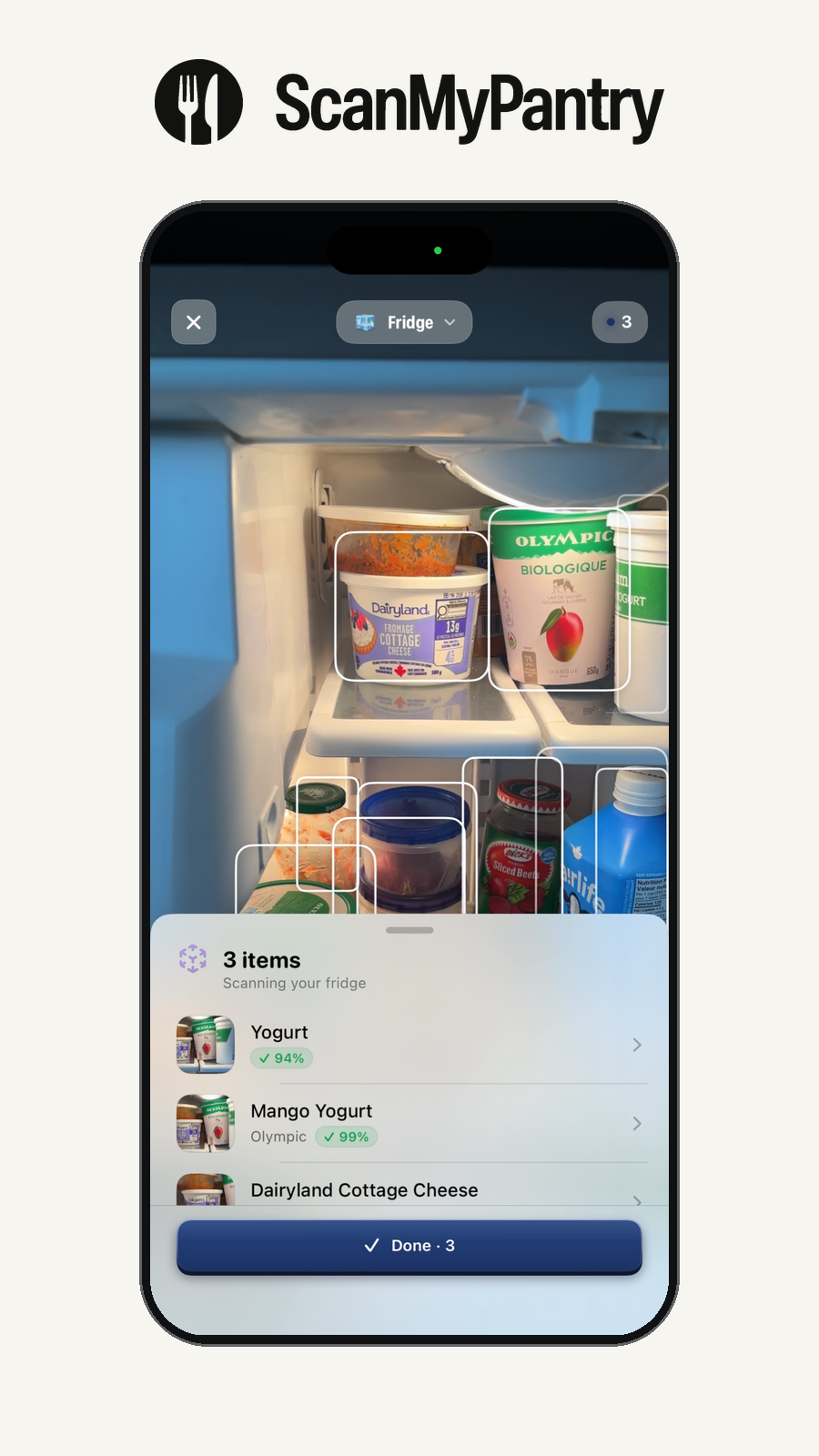
Example: put away three groceries without scanning a barcode
- Two loose peppers for the fridge. Put both in view, check which peppers get outlines, and confirm the quantity before saving.
- A box of pasta for the pantry. Point the camera at the front of the box. If the suggestion says “pasta,” check the label and change the name to the variety you bought.
- A sealed container for the freezer. Use your label to enter the name, number of portions, and date by hand if the contents are hidden.
Open the saved lists and confirm each item is in the right space. If a visible food was missed or suggested twice, check the camera view and the physical count.
When is a barcode useful?
A barcode lookup can help when you need a specific packaged product and the code is readable. In ScanMyPantry, readable package text or a barcode in the camera image may help refine a suggestion. Live scanning lets you begin with the food in front of you, including produce and other items without a code. Confirm the exact product and its details when they matter.
What happens after the scan?
Saved entries form your fridge, freezer, or pantry list. A scan covers the food that was visible in that session. Update the inventory when food is used, moved, or added.
Watch the fridge scan · Set up a kitchen inventory · Compare ways to add food