A pantry scanner app
for your kitchen inventory.
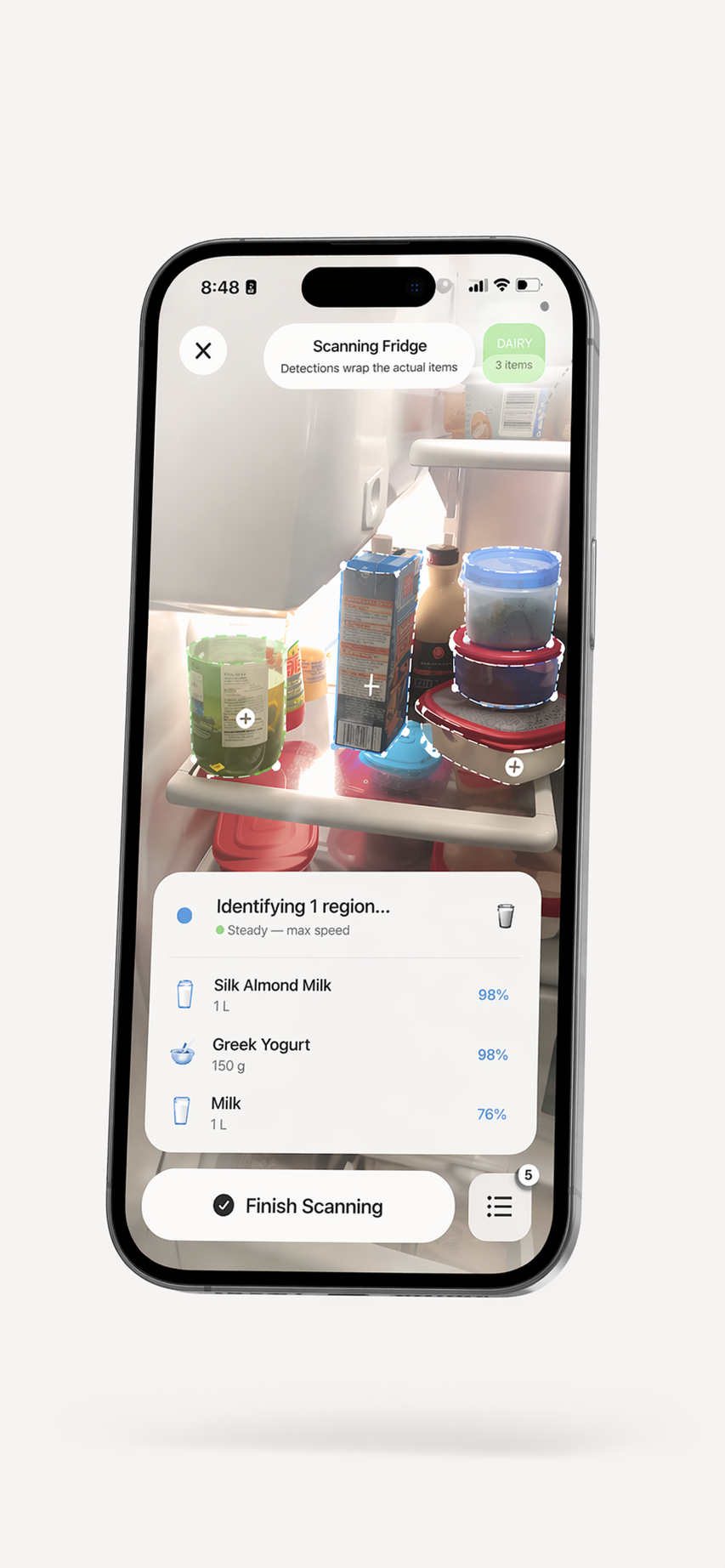
Use your iPhone camera to get suggestions for visible foods, review and edit the results, then save the items you want to track. Organize your pantry alongside other kitchen storage areas.

How to make a pantry scan useful
Start with a few items, check each suggestion, and update the list as food is used or moved. A scanner can help create a starting inventory, but it cannot see every item or keep the list current on its own.
Visual AI Scanning
Camera recognition can suggest names for visible foods. Review and correct the result before saving it. Barcode entry is also available for suitable packaged products.
Dates and Reminders
Save or review dates for recorded items and enable reminders to prompt a check. Confirm dates on the package; reminders cannot assess freshness or food safety.
Recipe Generation
Explore recipe ideas based on ingredients in your recorded inventory. Check the suggestions and update your list when you use or move food.
Multi-Section Support
Separate sections for pantry, fridge, freezer, and kitchen. Your entire food inventory in one pantry scanner app.
Privacy First
No account required. Inventory is stored locally by default, while cloud AI and sharing features send selected data to feature providers.
Household Sharing
Household sharing is available through an in-app plan. Check the current plan details in the app for availability and limits.
Scan your pantry in 3 steps
Open the app
Download ScanMyPantry free from the App Store. No account, no setup. Just open and point.
Point & scan
Aim the camera at foods you want to record. Review the suggested results, correct details as needed, and save selected items.
Stay organized
Organize saved foods by storage area, review dates, enable reminders if you want them, and explore recipe ideas from recorded ingredients.
What to check in a pantry scanner
Before choosing a food inventory app, check how it adds and edits items, whether it supports your storage areas, how dates and reminders work, what data its online features use, and what the current plan costs. ScanMyPantry is made by the publisher of this page, so this is a product guide rather than an independent app ranking.
Pantry scanner questions
How does a pantry scanner app work?
A pantry scanner app helps you record foods stored at home. ScanMyPantry uses the iPhone camera to suggest items; review and edit them, then save the entries you want to track. Barcode entry is available for suitable packaged products.
Will a scan find and identify every item correctly?
No. A camera view may miss an item or suggest an incorrect name or detail. Check and correct suggestions before saving them, and update the inventory as food changes.
Does a pantry scanner app tell me whether food is safe?
No. A saved date, scan, or reminder cannot assess freshness or food safety. Check the food, packaging, and storage conditions directly.
How much does ScanMyPantry cost?
ScanMyPantry is free to download with optional in-app purchases. No account is required for core pantry use. Check the current App Store listing for regional prices and the app for current plan details.
Ready to scan your pantry?
Free to download with optional in-app purchases. No account is required for core pantry use. Requires iOS 18.4 or later.
Free · In-App Purchases available · iOS 18.4+