Your fridge.
Finally scanned.
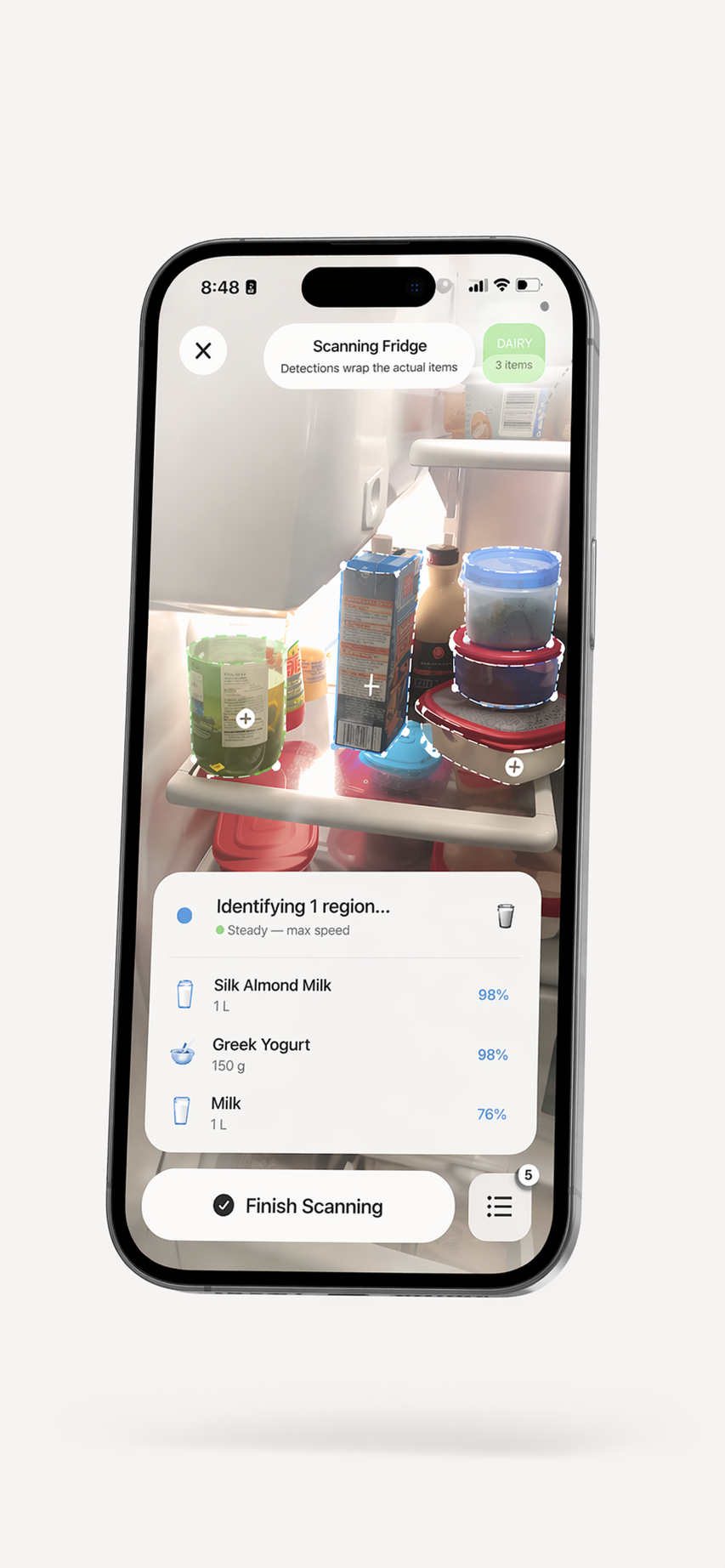
Use your iPhone camera to start a food inventory, organize recorded items by storage area, keep useful dates in view, and find recipe ideas from the food you have added. Review scan suggestions before saving them.


Keep a useful list of
what's in the fridge.
Food can be easy to lose track of when it is stored out of sight. ScanMyPantry gives you an inventory of recorded items across your fridge, freezer, and cold storage, sorted by freshness, so you can decide what to check next.
- Photo recognition can suggest names for visible foods; review results before saving
- Save dates and enable reminders to prompt you to review recorded items
- Fridge, freezer, and cold storage zones — organize by location
- local detection may assist; cloud AI features may send selected image content to providers — core visual detection may work offline
- Household sharing is available through an in-app plan; check current plan details in the app
How to make a fridge inventory useful
A kitchen inventory is only useful when it reflects what is actually there. Start small, check suggested details, and update the list as food is used or moved.
- Record a few items at a time. Scan foods or add packaged products with barcode support; review each suggestion before saving it.
- Choose the right storage area. Keep refrigerator, freezer, and pantry items organized so you can find them again.
- Add dates you want to remember. Check dates on the package and use reminders as prompts to look at an item, not as a food-safety judgment.
- Check the inventory before shopping or cooking. Correct entries when something is finished, moved, or no longer on hand.
What a food scan can and cannot tell you
Photo recognition can help you begin an inventory, but it may miss an item or suggest the wrong name. Packaging, quantity, and date details may need to be entered or corrected by you. A camera scan cannot establish whether food is safe to eat. Check the food and its label directly.
For a closer look at the product workflow, see how ScanMyPantry works and the full feature overview.
Fridge Scanner FAQ
How does the ScanMyPantry fridge scanner work?
Open ScanMyPantry on an iPhone and use the camera scan to get food-item suggestions for your kitchen inventory. Review the suggestions, correct details when needed, and save the items you want to track. You can also add packaged foods with barcode support. A scan is a starting point for your inventory, not a guarantee that every item or detail is recognized correctly.
Can it scan both fridge and freezer items?
You can organize recorded foods by storage area, including the refrigerator, pantry, and freezer. Recognition suggestions and any dates you record should be checked against the item and its packaging; the app cannot determine food safety or freshness from an inventory entry.
Does the fridge scanner need a barcode?
No. You can use photo-based recognition to start recording foods, and barcode support is available for suitable packaged products. Check the item details before saving them, since a photo or barcode may not provide every detail you need.
How much does the fridge scanner cost?
ScanMyPantry is free to download. The App Store listing shows the current in-app purchase options and regional pricing; features included in each plan can change, so check the listing for the latest details.
Can multiple family members use the same fridge inventory?
Household sharing is available with the applicable in-app plan. Check the current App Store listing and in-app subscription screen for plan availability and limits.
Know what you have recorded.
Download ScanMyPantry and build a kitchen inventory at your own pace.

Free to download with optional in-app purchases. No account is required for core pantry use. Requires iOS 18.4 or later.