Scan your kitchen inventory with iPhone
Add food to fridge, pantry, and freezer sections with your camera. Review suggested items before saving, keep track of the dates you enter, and find recipe ideas from your recorded inventory.

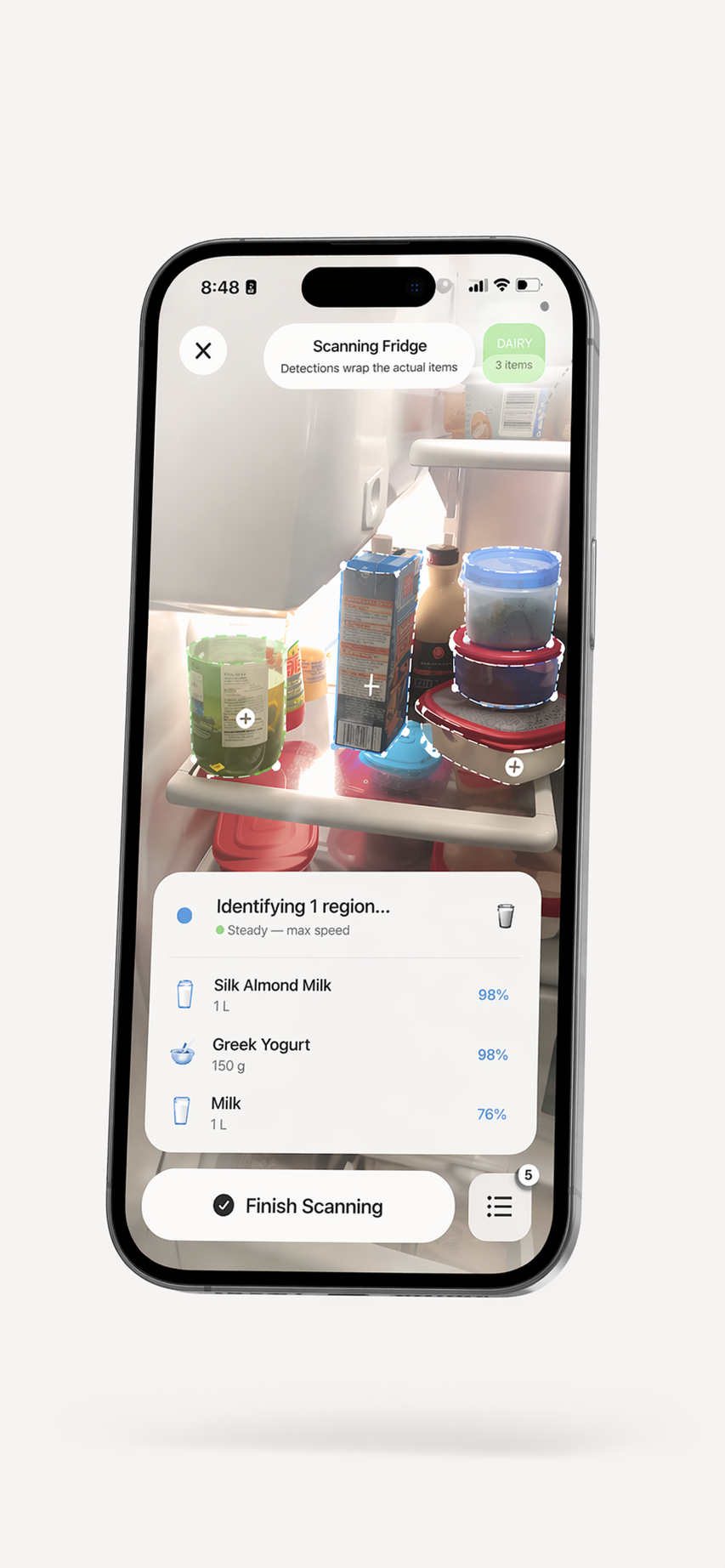
One inventory for your kitchen spaces.
Use separate fridge, pantry, and freezer spaces to keep a practical record of food at home. Add items with a camera scan or by entering them, then review what you saved.
Fridge Scanner
Record groceries, leftovers, and other fridge items. Review scan suggestions and add or correct details.
Pantry Scanner
Keep a list of cans, dry goods, spices, and other pantry items as you add them.
Freezer Scanner
Record frozen meals and ingredients in their own storage space and review the list when planning meals.
Kitchen Counter
Create custom storage spaces for food you keep outside the fridge, pantry, or freezer.
A useful kitchen inventory starts with review.
Scan and review
The app suggests food items from camera scans. Review and correct the suggestions before you save them.
Choose a storage space
Keep recorded items in fridge, pantry, freezer, or custom spaces so your list reflects how you organize your kitchen.
Track details you add
Save item names, quantities, and dates, then update those details as your kitchen changes.
Find recipe ideas
Use recorded ingredients as a starting point for recipe suggestions and meal planning.
Optional iCloud sync
When iCloud sync is available and connected, the app can sync your inventory across devices. Check the sync status in Settings.
Free to download
ScanMyPantry is free to download and offers optional in-app purchases. See the App Store listing for current details.
Who uses a kitchen scanner app?
Families
If household sharing is available with your plan, family members can contribute to a shared record. Check current plan availability and limits in the app.
Meal Preppers
Use the items you recorded as a starting point for recipe suggestions and decide what fits your plans.
Food Waste Warriors
Freshness sorting and date reminders can help you notice recorded items that you may want to use soon.
Home Cooks
When you are deciding what to cook, check your saved ingredients and explore recipe ideas that may use them.
Common questions about food scanning.
What is a kitchen scanner app?
ScanMyPantry is an iPhone app for recording food in kitchen storage spaces such as a fridge, pantry, or freezer. It suggests items from a camera scan, lets you review and correct them before saving, and can offer recipe ideas based on your recorded inventory.
Can an app scan my entire kitchen?
You can add food from different storage spaces, including a fridge, pantry, or freezer. Scan an area or individual items, then review the suggestions and save the items you want to track. The app does not guarantee that one scan will capture everything in a kitchen.
Is there a kitchen scanner that works without barcodes?
A barcode is not required for camera-based food scanning. ScanMyPantry suggests possible food items from the image; review and correct the suggestions before saving.
Can it tell whether food is safe?
No. ScanMyPantry records food and dates you enter, but does not assess food safety. A saved date or reminder is not a safety determination.
Keep your kitchen inventory in one place.
Free to download, with optional in-app purchases. Requires iOS 18.4 or later.
Free download · In-app purchases available · iOS 18.4+