Your fridge.
Finally smart.
Scan multiple visible foods, review the suggested results, and save items to your kitchen inventory. Track dates and explore recipe ideas from recorded ingredients.
 Free to download · No account needed

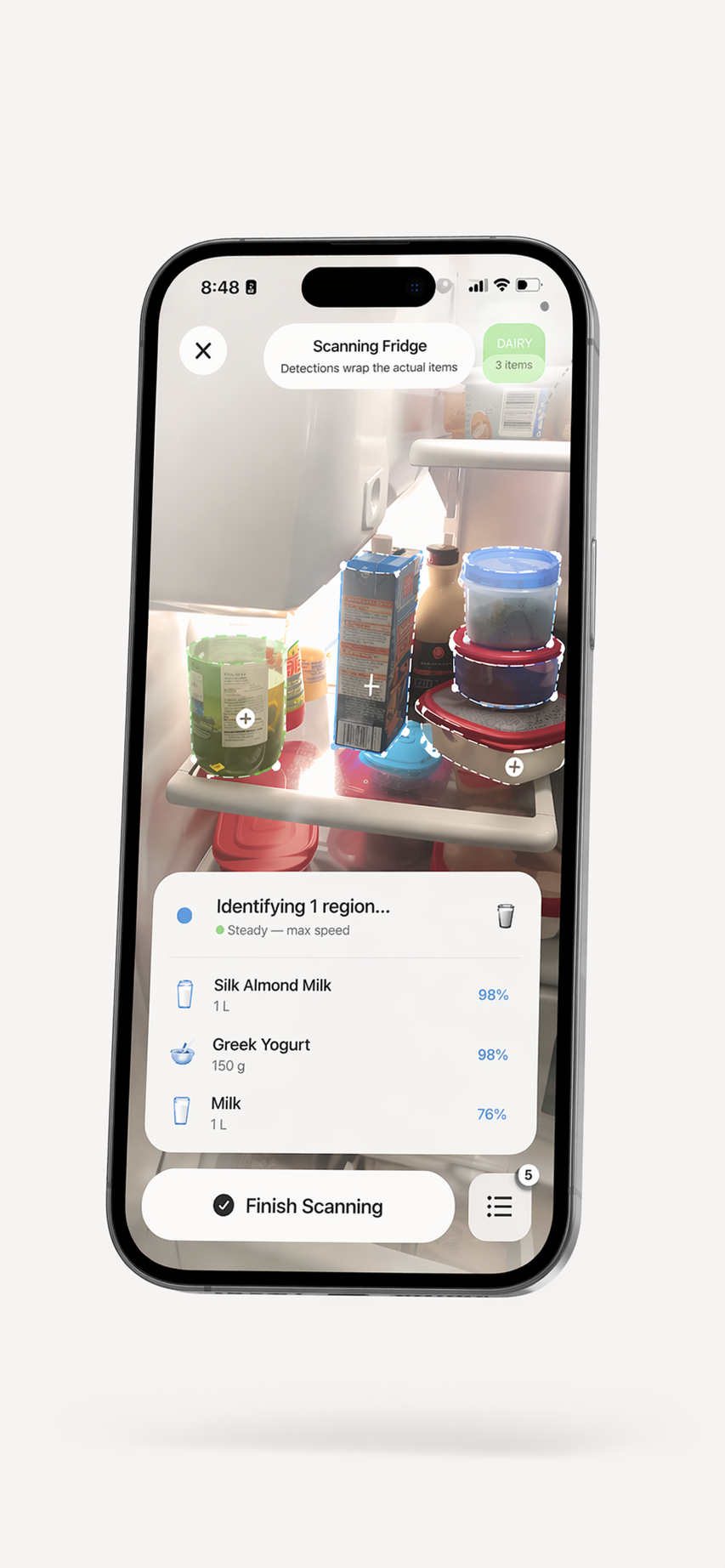
Start with what you have.
Scan and track food, review saved dates, and explore recipe ideas. No account is required for core pantry use. Some features have usage limits on the free plan; optional in-app purchases are available.
Scan a shelf.
See what is there.
Point your camera at groceries, open shelves, or leftovers. ScanMyPantry suggests multiple food items at once; review the results before saving them to your inventory.
Use more of
what you buy.
See expiry estimates and reminders to help decide what to use first. Verify dates on the package before relying on them.
Cook with what
you actually have.
Get recipe ideas from ingredients in your recorded inventory. Free-plan usage is limited; optional in-app purchases offer additional use. Check the current plan details in the app.

Less waste.
Better meals.
Every week.
Free to download. No account. Requires iOS 18.4 or later on iPhone and iPadOS 18.4 or later on iPad.
Free · In-App Purchase available · iOS/iPadOS 18.4+
ScanMyPantry questions
What does ScanMyPantry do?
ScanMyPantry is an iPhone kitchen inventory app. Use camera suggestions or barcode entry to record food, review and edit results, organize items by storage area, save dates, and explore recipe ideas from recorded ingredients.
Can the app tell me whether food is safe to eat?
No. A scan, saved date, or notification cannot assess freshness or food safety. Check the food, packaging, and storage conditions directly.
Is ScanMyPantry free?
ScanMyPantry is free to download with optional in-app purchases. No account is required for core pantry use. Free-plan usage has limits; check the current plan details in the app and the App Store listing for regional prices.
Does ScanMyPantry work offline?
Some food recognition runs on-device. Selected recognition and other features may use internet services. Check the app's privacy information for details about data used by each feature.