Kitchen, recipe, and food diary comparisons / Comparison
ScanMyPantry vs Cronometer
Quick answer: ScanMyPantry scans groceries into a kitchen inventory and suggests what to cook. Cronometer analyzes the nutrients in foods and recipes you record in a diary.
This page is published by the developer of ScanMyPantry. It compares features stated in each product's public App Store listing or official product page; it is not a hands-on test of every feature. Store availability and plans can vary by region and change over time.
Feature comparison
| Feature | ScanMyPantry | Cronometer |
|---|---|---|
| Camera workflow | Move your iPhone camera across visible groceries. Live AR outlines show suggestions you can review and save without scanning barcodes. | Gold Photo-Logging suggests foods from an image. Review matches and amounts before logging them or creating a custom meal or recipe. |
| Recipes | Find recipe ideas from saved groceries and compare estimated calories, protein, and servings. | Create and analyze a recipe from its ingredients, then log a portion in the diary. Gold can also import recipes. |
| What to review | Check what you have saved, where it is stored, and what ingredients you still need. | Review the nutrients associated with your logged foods and portions. Detail depends on the underlying food entry. |
When ScanMyPantry may fit
Choose ScanMyPantry when the decision starts at the fridge or pantry and you want dinner ideas from food you already own.
Review suggestions before saving so the recipe starts from the items in your kitchen.
When Cronometer may fit
Choose Cronometer when you want to record actual portions and review detailed nutrient intake.
Save a custom recipe for a meal you make regularly so you can log the amount you eat.
Before and after dinner
Scan and save chickpeas and peppers in ScanMyPantry, then choose a dinner. In Cronometer, create a custom recipe from the ingredients and amounts you actually used and log the portion you served.
A photo can show the foods on the plate, but it can miss ingredients mixed into the dish, such as oil or dressing. If you know the recipe and how much you served, use that information to review the suggested food and portion in your diary.
Watch the live grocery scanner or see how to prep two meals from the same groceries.
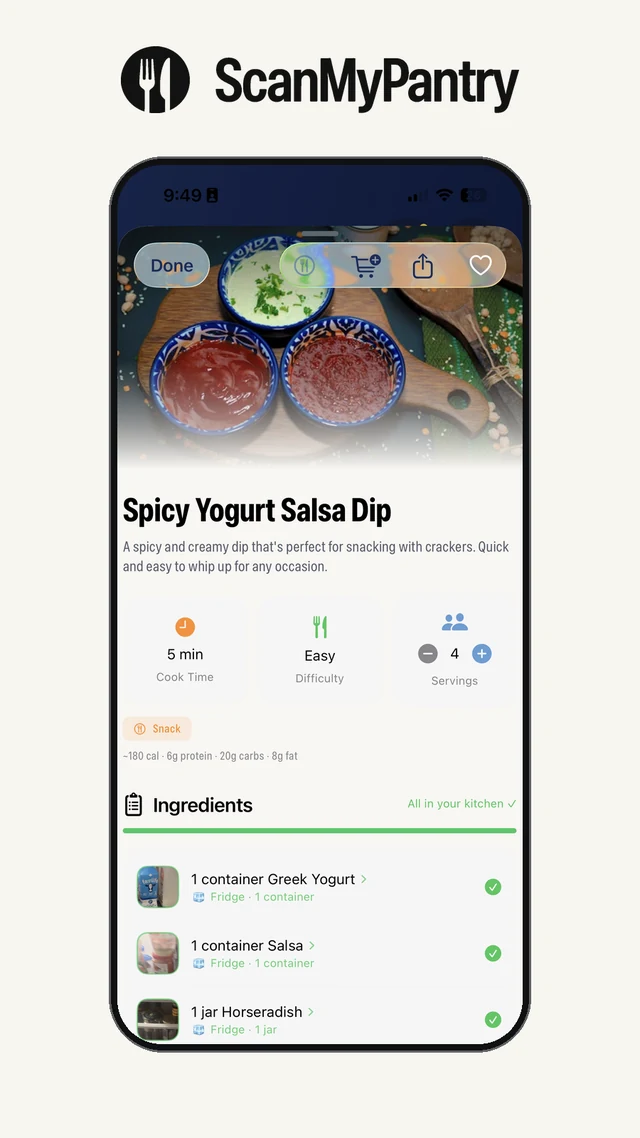
Compare estimated calories and protein for two dinners made from the same groceries. After cooking, use the portion you actually serve when logging it.
See how recipe servings compare with the portions you log, recalculate your per-portion estimate, or read ScanMyPantry vs MyFitnessPal.
Sources and review method
Feature descriptions were checked against the linked public sources on November 18, 2026. Check each current listing for availability, device requirements, and price in your region.
- ScanMyPantry on the App Store
- Cronometer custom meals and recipes
- Cronometer Gold Photo-Logging documentation
- Cronometer nutrition data sources
Read the kitchen inventory guide, review the app-selection checklist, or see ScanMyPantry's privacy policy.
