ScanMyPantry app screenshots and visual scanner previews
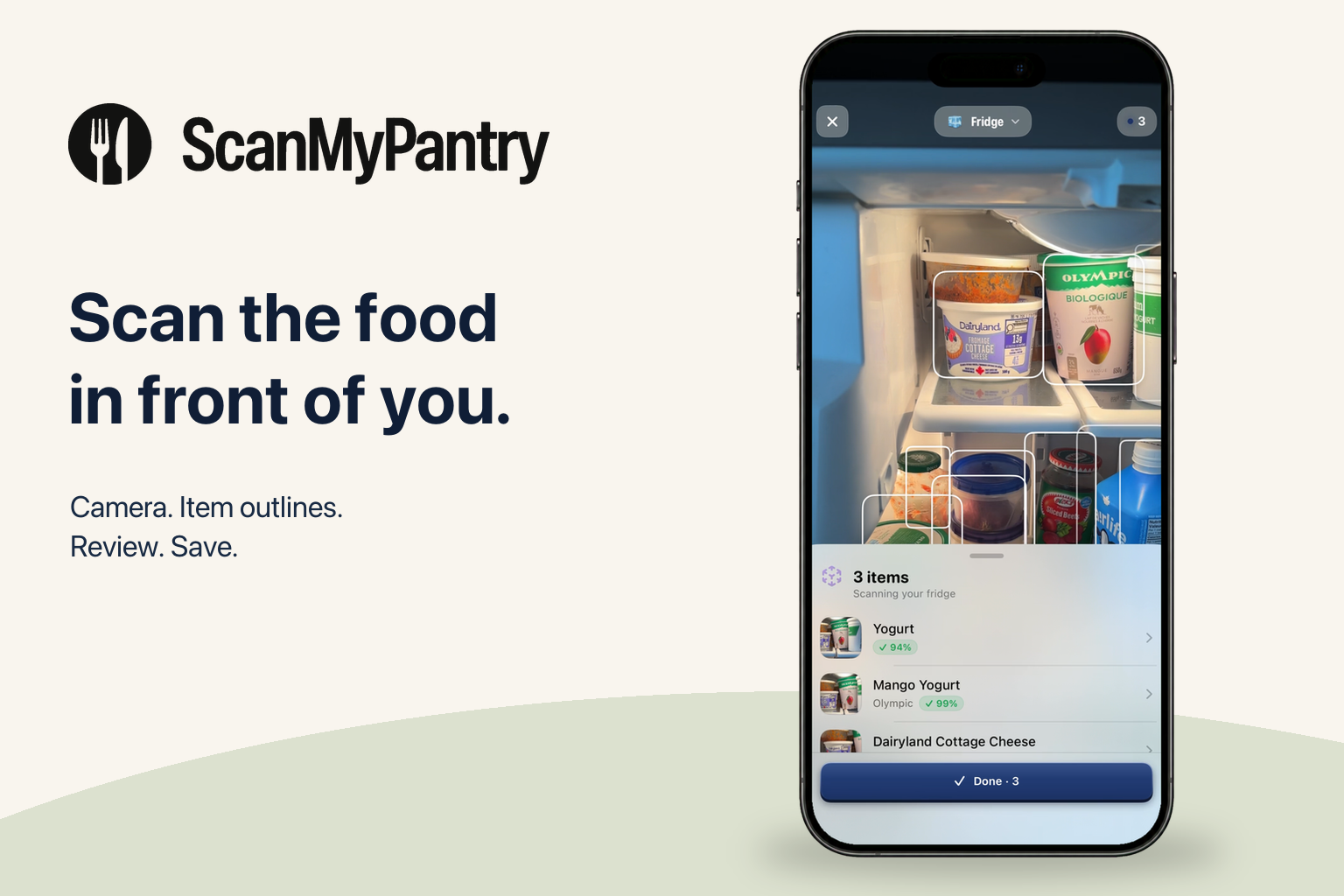
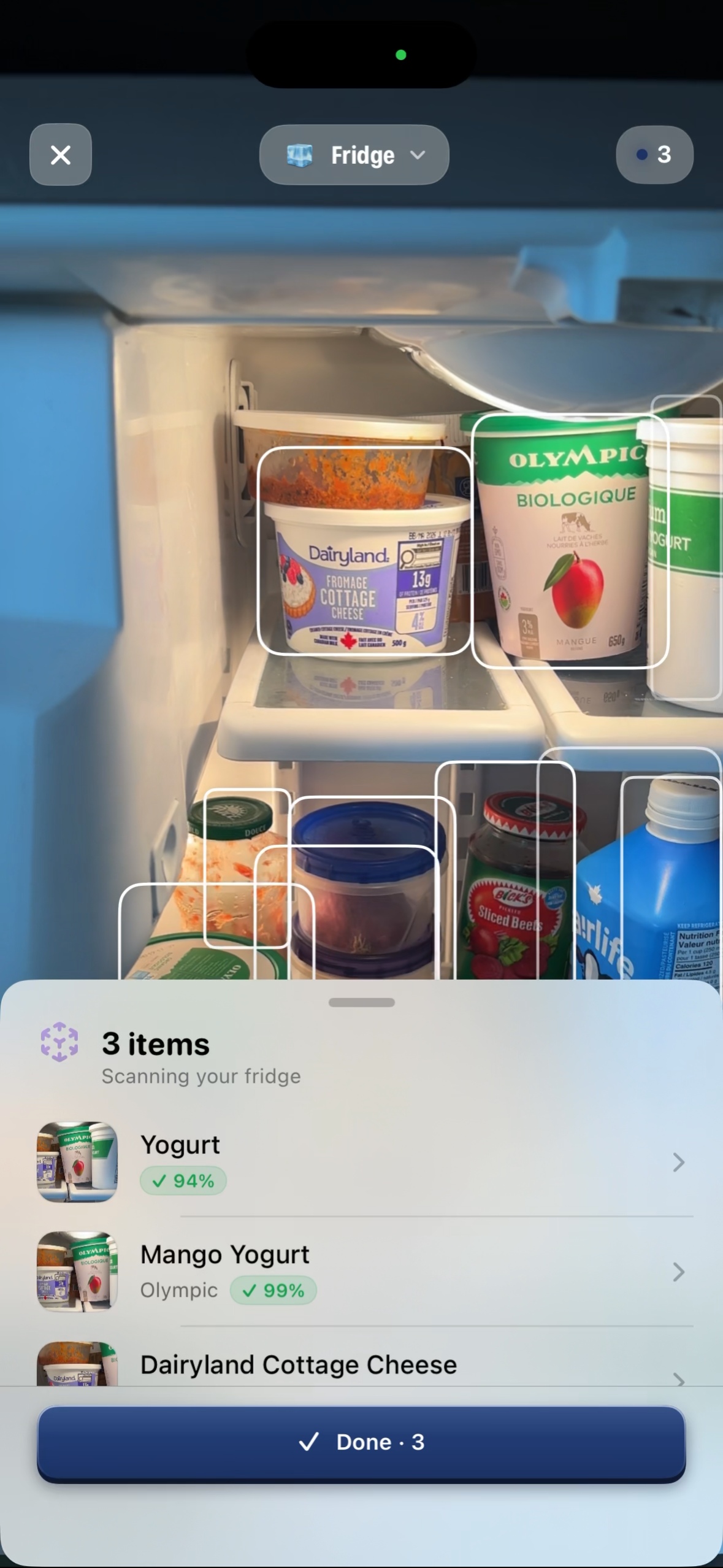
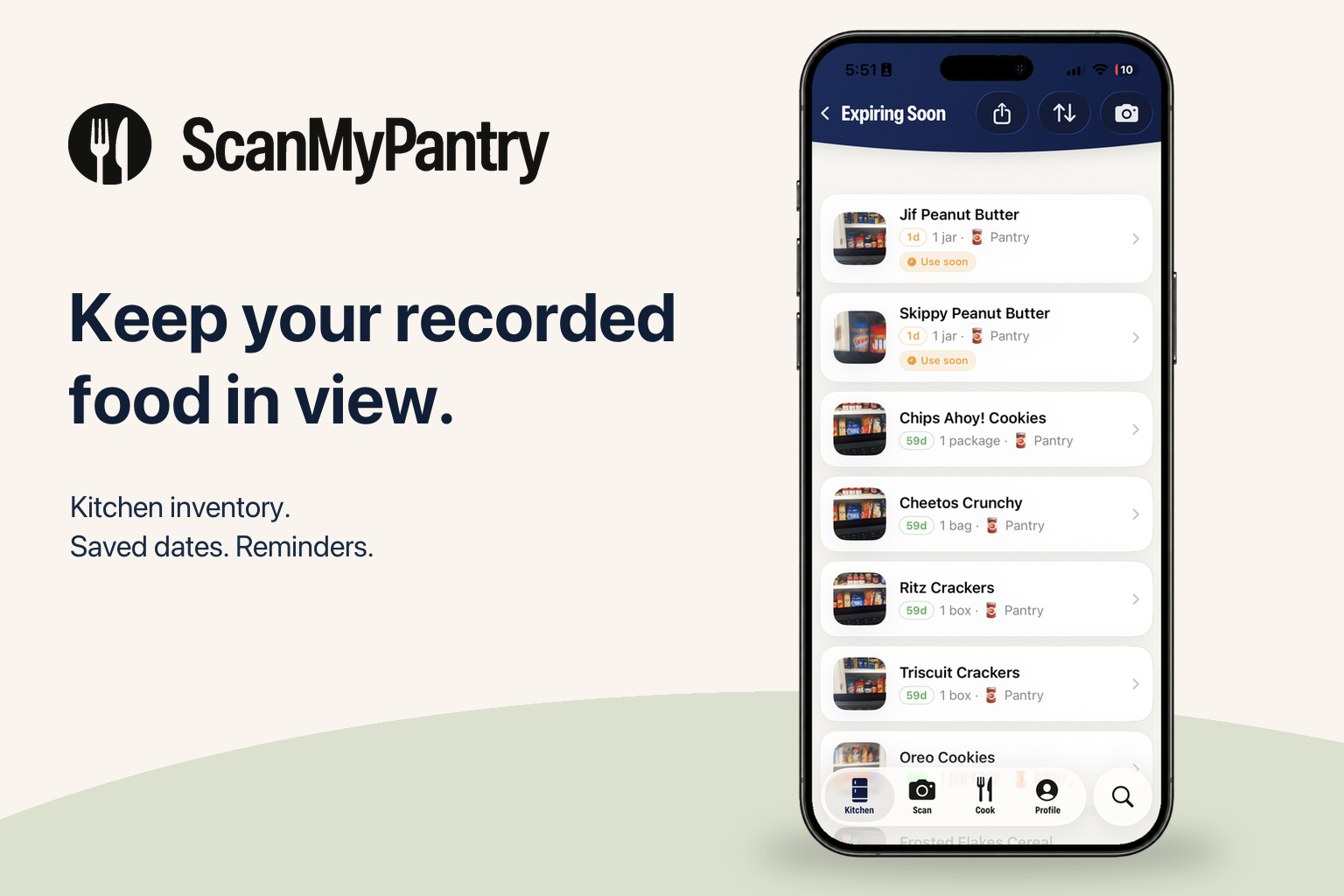
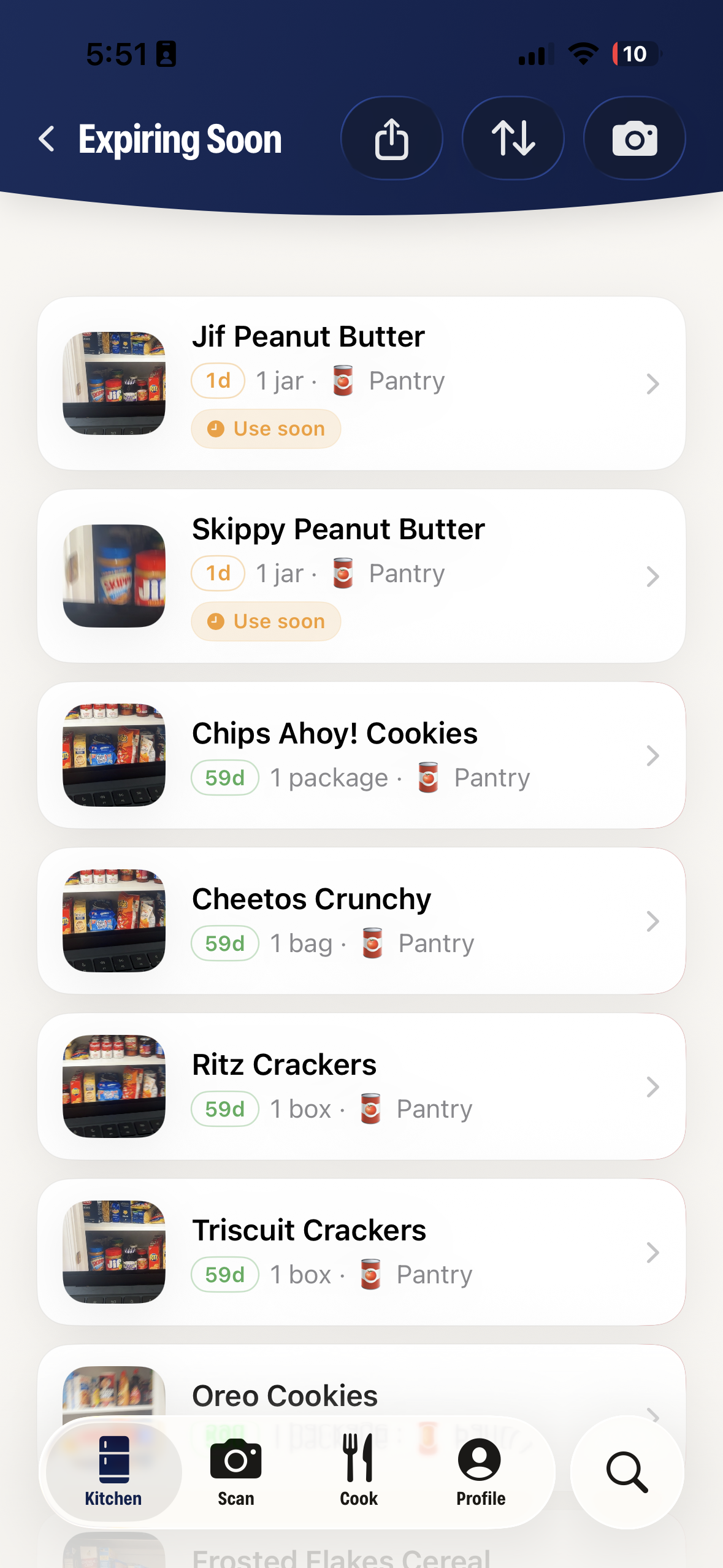
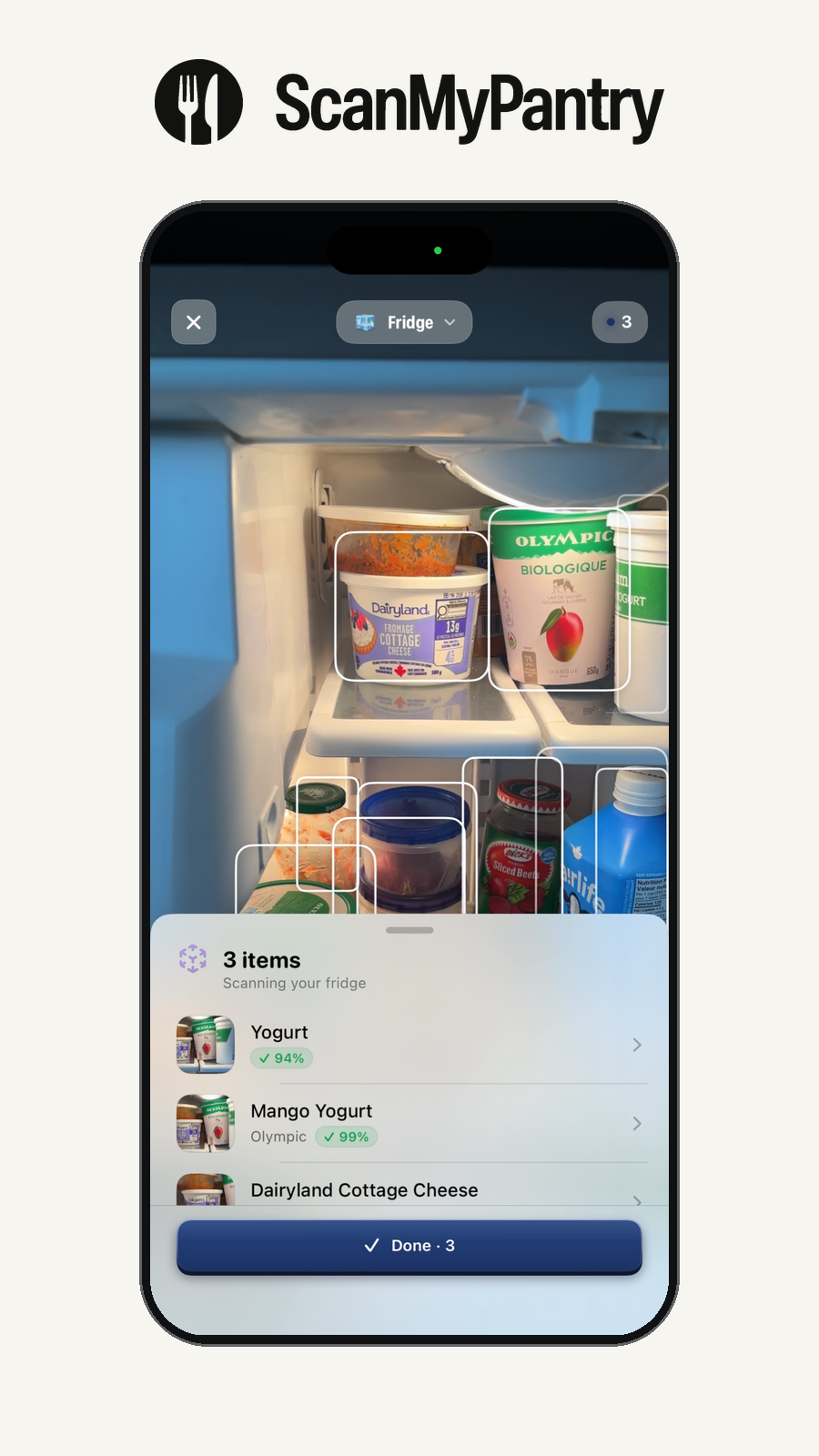
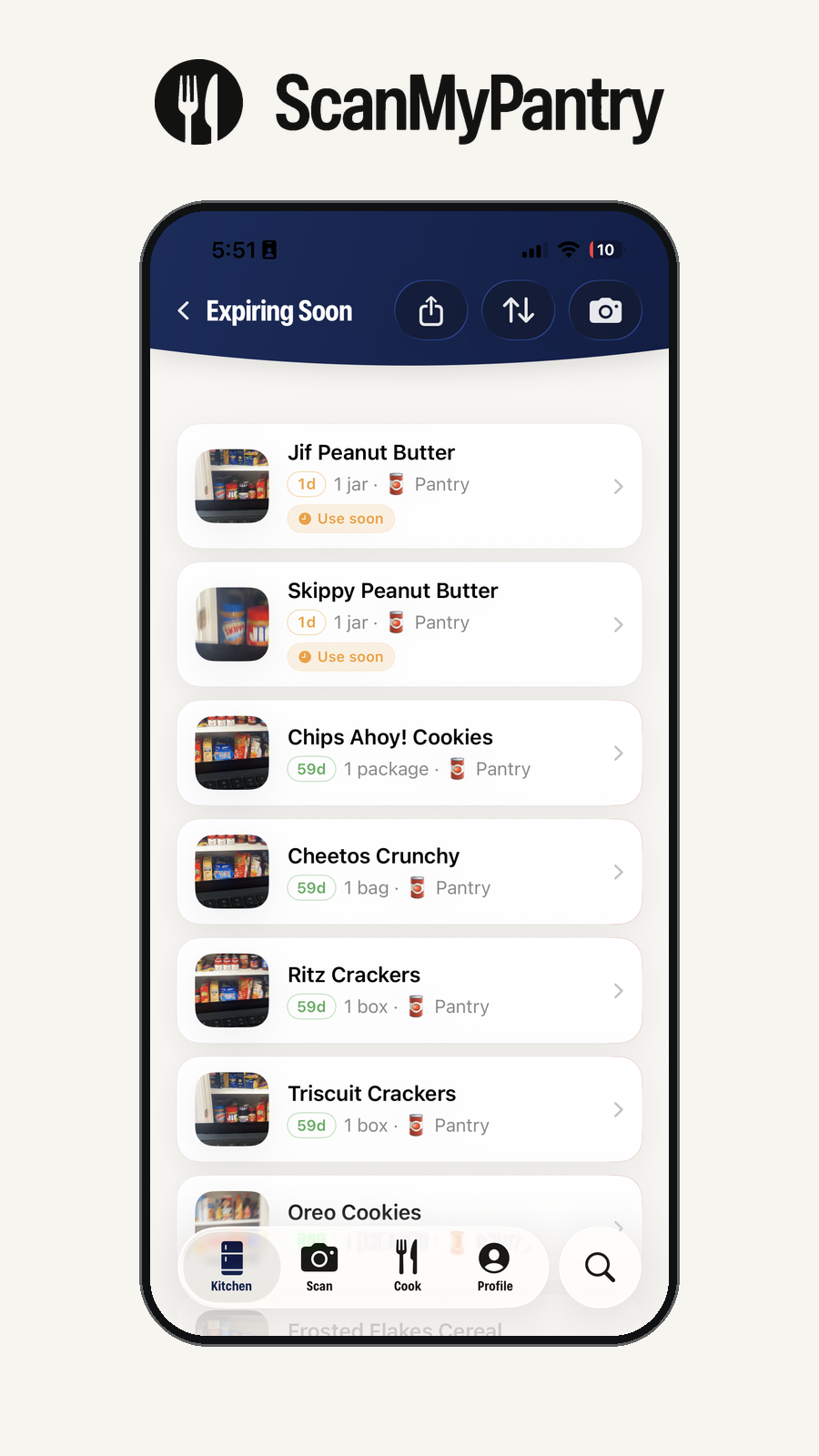
See how the visual food scanner presents food outlines and suggestions, and how recorded food appears with dates and storage locations.
The phone frames use original app screenshots, SF Pro typography, and the official ScanMyPantry logo and wordmark. Original screenshots are included below. Screen appearance can vary by app version; these images illustrate the interface and are not a recognition benchmark.
Visual food scanning in an iPhone frame. Screenshot-based promotional mockup showing the fridge camera view, item outlines, and food suggestions. Review and correct suggestions before saving.Food scanner screenshot. Original app screenshot showing food outlines over a fridge camera view and a list of recognition suggestions.Recorded food and dates in an iPhone frame. Screenshot-based promotional mockup showing recorded pantry items and date reminders. Dates and reminders cannot determine whether food is safe.Recorded food and dates screenshot. Original app screenshot of the Expiring Soon view with recorded pantry items, dates, amounts, and locations. Check dates against the package and food itself.
From camera to recorded food
Point your camera at visible food, review and correct recognition suggestions, then save the items you want to track. Keep the inventory current as food is used or moved.
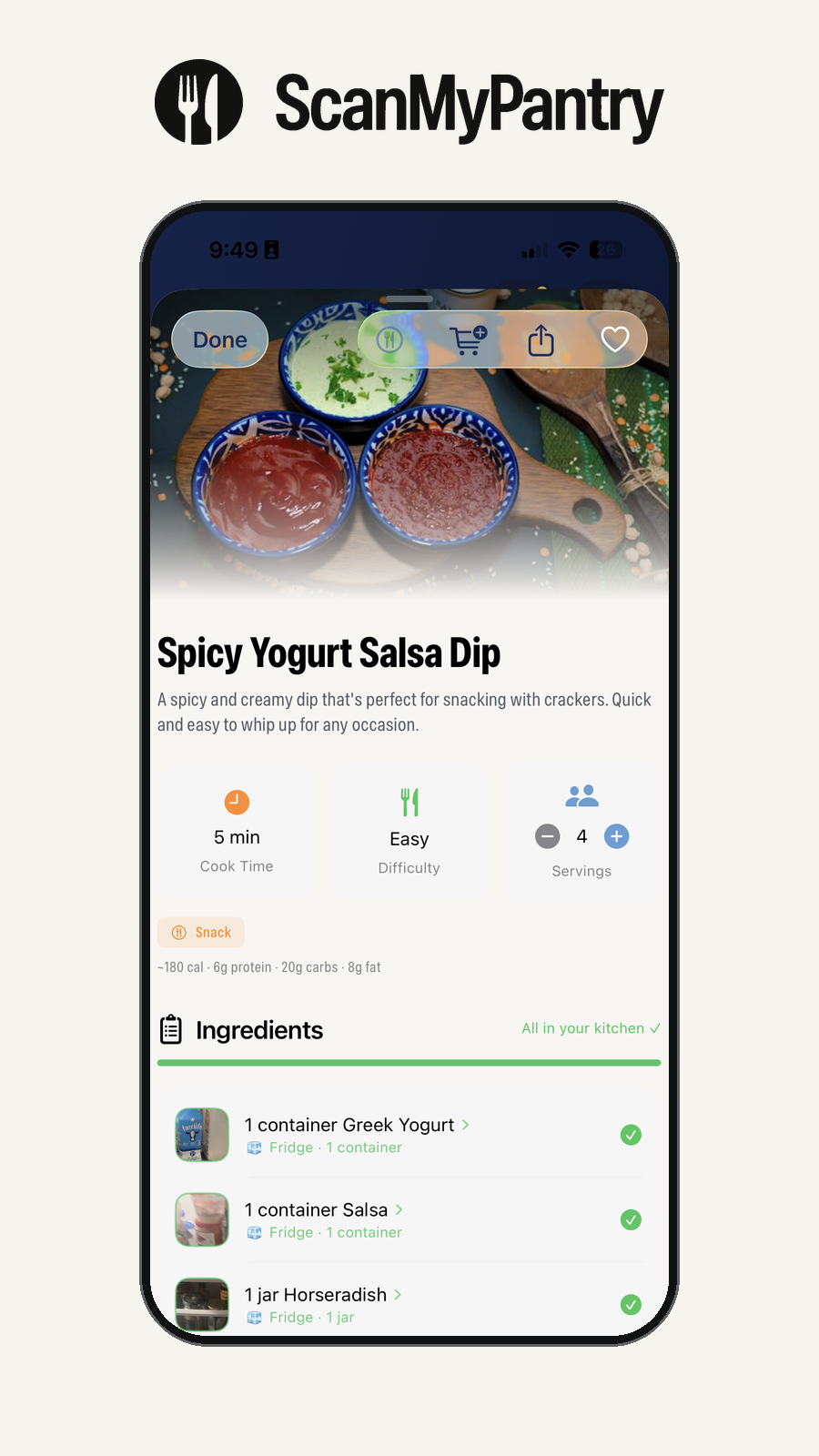
Visual food scanner in a device frame. Original scanner screenshot placed in a device frame, showing food outlines and recognition suggestions. Open full-size PNGRecorded food and dates in a device frame. Original Expiring Soon screenshot placed in a device frame. Recorded dates are planning prompts, not food-safety assessments. Open full-size PNGRecipe detail in a device frame. Original recipe-detail screenshot in a device frame, showing ingredients and cooking information. Open full-size PNGOfficial ScanMyPantry app icon. The app icon exported from the ScanMyPantry app asset catalog. Open full-size PNGOfficial ScanMyPantry logo and wordmark. The official logo and wordmark from the app asset catalog, with a transparent background. Open full-size PNG