Meal planning with calories and protein per serving
Scan the groceries you have and compare recipe estimates before cooking for a weight-management or higher-protein goal.
Turn groceries into dinner options
Point your iPhone at visible ingredients such as peppers, eggs, and yogurt. Live AR outlines mark suggested groceries without needing a barcode. Review and save them, then look for recipes that use those ingredients.
Use the recipe’s serving size when you compare
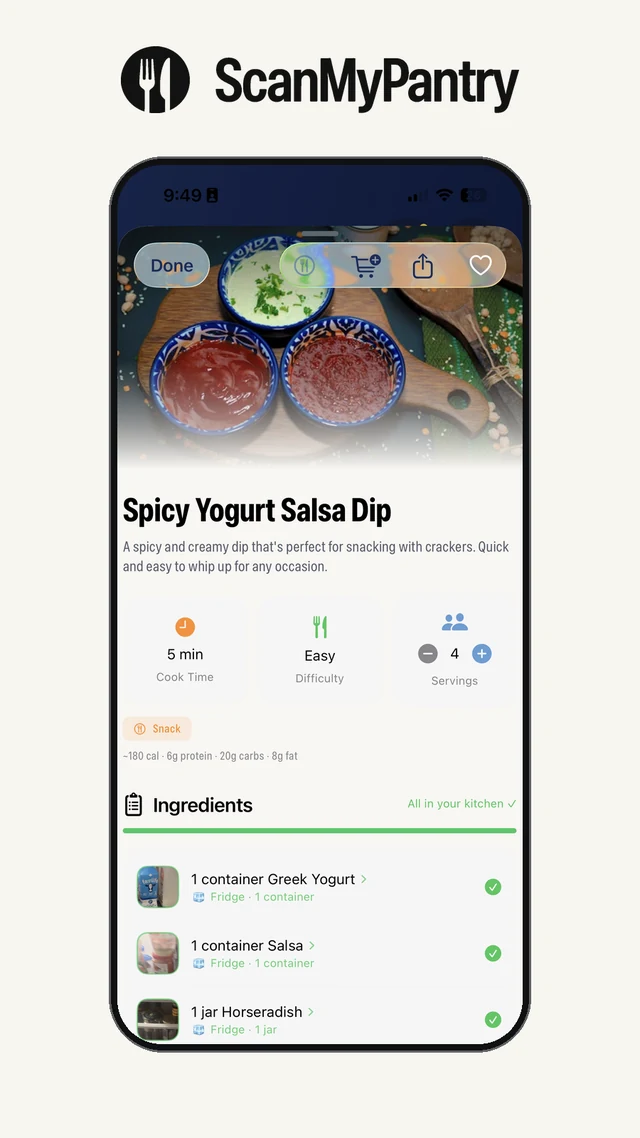
For a weight-management cooking goal, check the estimated calories and protein for one serving of each recipe you’re considering. For a strength or fitness goal, use a higher-protein recipe preference and compare how much protein the recipes estimate per serving. Ingredients and portion sizes affect the estimate.
For example, a four-serving batch estimated at 400 calories and 30 g of protein per serving would come to about 533 calories and 40 g of protein per portion if you divide the same batch into three equal portions. Use the recipe portion calculator for a batch you plan to cook.
Use a food diary for what you actually eat
Cal AI estimates nutrition from a photo of a plated meal. MyFitnessPal records foods and portions in a daily diary and offers Meal Scan on paid plans. ScanMyPantry starts earlier, with the groceries in your kitchen and the recipe you plan to cook.
Compare ScanMyPantry vs Cal AI or ScanMyPantry vs MyFitnessPal. If shopping cost is your priority, see budget meal planning with groceries you already have.