A food waste app to help you
use what you have.
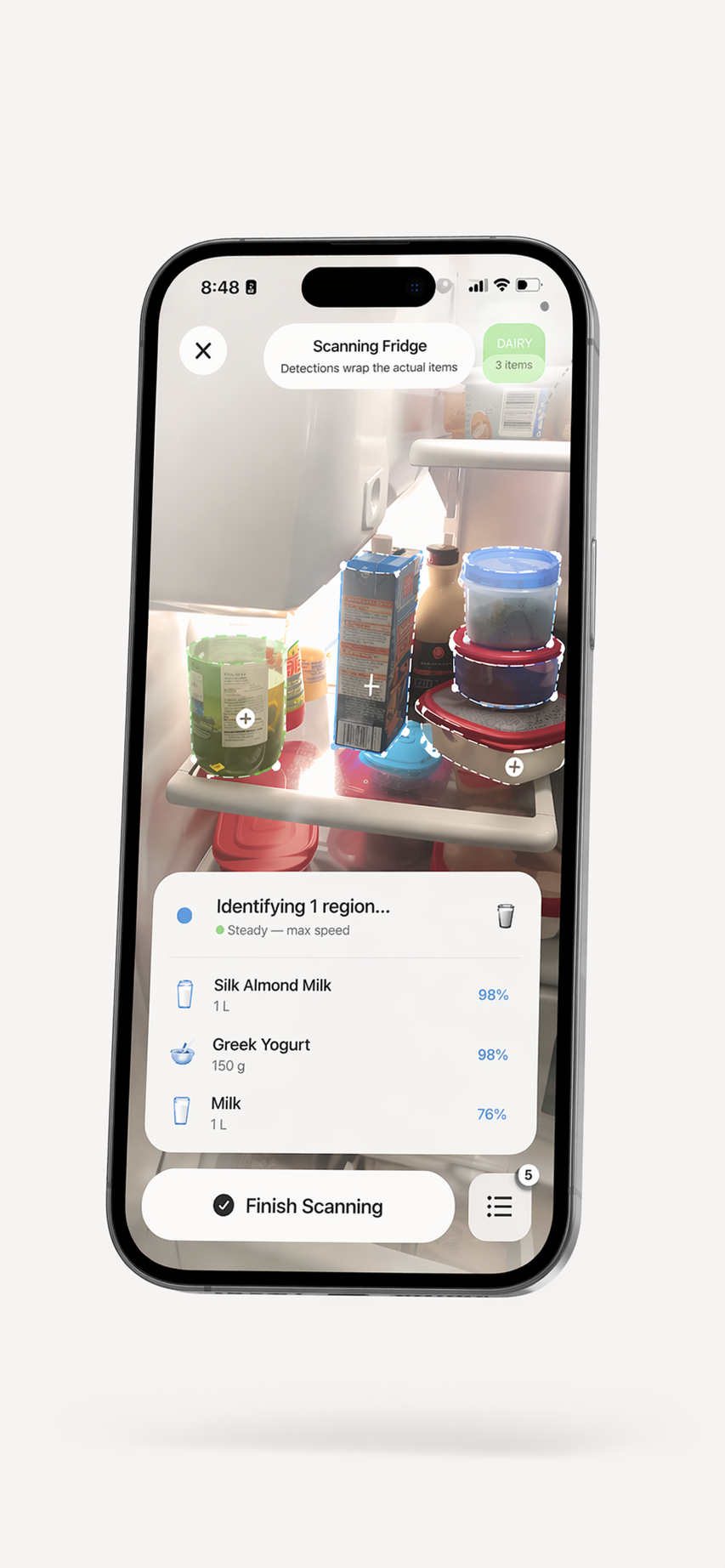
Record foods in your kitchen, check the list before you shop or cook, and explore recipe ideas from ingredients you have added. Review scan suggestions and update the inventory as things change.


Build a kitchen inventory
you can keep current.
An inventory can make it easier to notice foods you recorded and check them before shopping or planning a meal. It works best when you start with a manageable set of items, review suggested details, and update the list when food is used or moved. ScanMyPantry can support that routine; it cannot track items you have not added or promise a particular reduction in waste or spending.
- Organize recorded items by refrigerator, pantry, and freezer
- Review dates you choose to save and check details against packaging
- Enable reminders as prompts to look at items in your list
- Explore recipe ideas based on ingredients in your recorded inventory
- Check your list before shopping and update it as food changes
A practical way to start
- Choose one shelf or storage area. Start with a few foods you want to keep in view.
- Review each entry. Photo recognition and product data may be incomplete; correct names and dates before relying on them.
- Check the list before shopping or cooking. Recipe ideas are suggestions based on recorded ingredients, not a check of everything in your kitchen.
- Keep it updated. Remove foods you have used and change entries when items move or details change.
Dates and notifications are organizational aids. They do not assess food safety, freshness, or storage quality.
Food Waste Reduction FAQ
What does a food waste app do?
A food waste app can help you record food at home, review dates, and plan meals around ingredients you already have. It can support a household routine, but it cannot guarantee that food will be used or that waste will decrease.
How can ScanMyPantry help me use food I already have?
ScanMyPantry lets you record foods, organize them by storage area, review dates you have entered, and explore recipe ideas based on recorded ingredients. Check and update the list as food is used or moved; results depend on how each household uses the app.
Can ScanMyPantry tell whether food is safe to eat?
No. A scan, inventory entry, date, or reminder cannot determine whether food is safe or fresh. Check the food, packaging, and storage conditions directly and follow local food-safety guidance.
Do food reminders guarantee that I will use items before they expire?
No. If you enable notifications, reminders can prompt you to check recorded items. They do not verify a date, freshness, storage conditions, or whether an item was already used.
Is ScanMyPantry free?
ScanMyPantry is free to download with optional in-app purchases. Availability and prices can vary by storefront; check the App Store listing in your region for current details.
Keep your recorded food in view.
Build a kitchen inventory and explore ideas for what to use next.

Free — no account needed. Compatible with iPhone XS and newer, iOS 18.4+.