Point.
Scan.
Know.
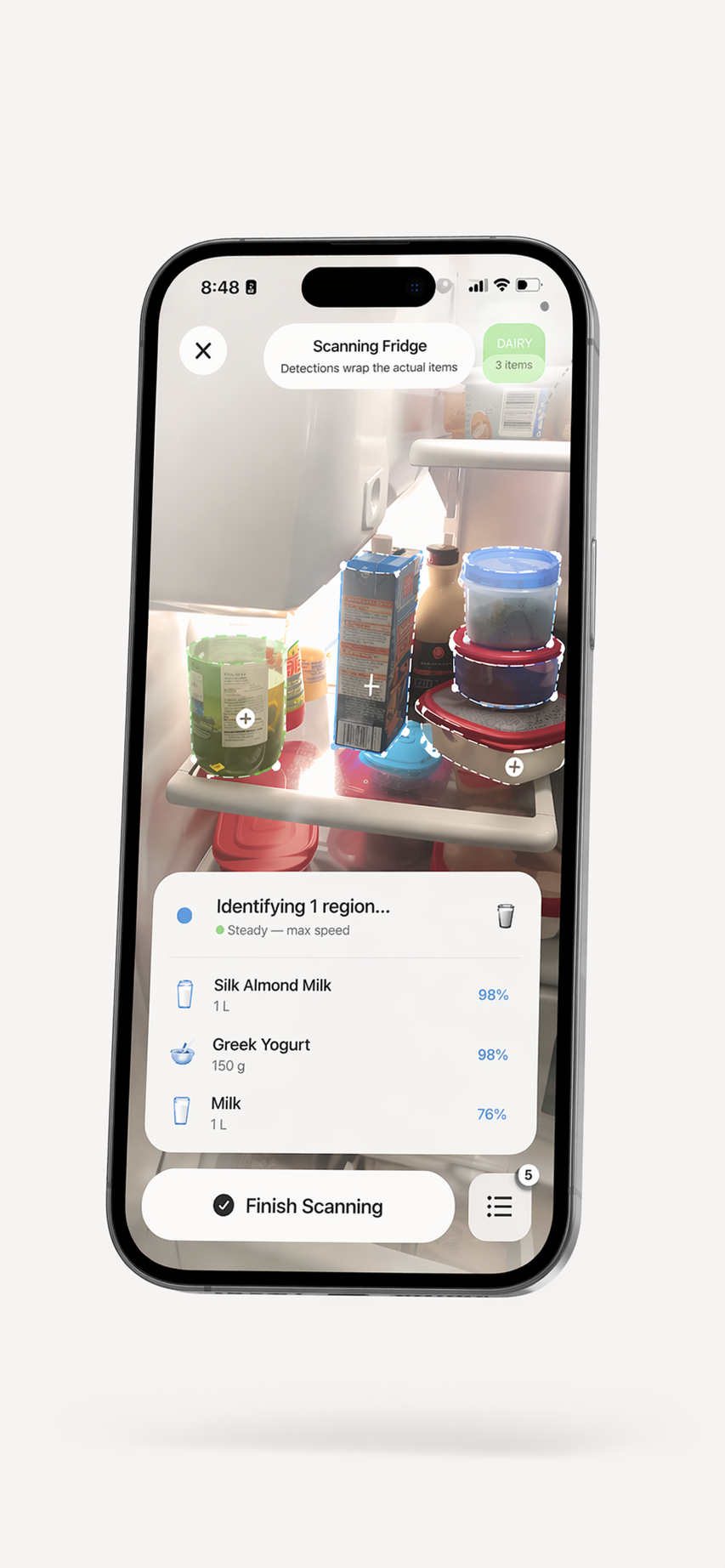
Use your iPhone camera to get food-item suggestions for an inventory. Review and correct each result before saving it. Barcode entry is also available for suitable packaged products.


Start with a scan.
Review the details.
Photo recognition can help you begin a kitchen inventory, and barcode entry supports suitable packaged products. Check the suggested name and other details before saving them; a camera view may miss an item or return an incorrect result.
- Camera-based food recognition to start recording visible items
- Barcode entry for suitable packaged products
- Review and edit item details before adding them to your inventory
- Organize saved foods across kitchen storage areas
- Selected features may process data through online service providers
AI Food Scanner FAQ
How does the AI food scanner work?
Use the ScanMyPantry camera to get food-item suggestions, review them, correct details when needed, and save the items you want to track. Recognition can miss items or return incorrect details, so check each result before relying on it.
What foods can the scanner identify?
Photo recognition can suggest names for visible foods such as produce and packaged items. Results vary with the food, image, and camera view. Review the suggestion and add or correct details before saving it.
Does the food scanner work offline?
Some visual detection runs on your iPhone, while selected recognition and other app features may use internet services. Check the current app privacy information for details about data used by each feature.
Can the scanner identify food from photos?
ScanMyPantry supports camera-based food recognition. Check the current app interface for available scan modes, and review any suggested item details before saving them.
How accurate is the AI food recognition?
Recognition is a convenience for starting an inventory, not a verified accuracy guarantee. Lighting, packaging, overlap, and the camera view can affect results. Confirm the food name and other details yourself; the scanner cannot assess freshness or food safety.
Scan your kitchen in seconds.
The AI food scanner that runs on your iPhone — free.

Free to download with optional in-app purchases. No account is required for core pantry use. Requires iOS 18.4 or later.