Kitchen inventory app guide / Comparison
ScanMyPantry vs Forky AI
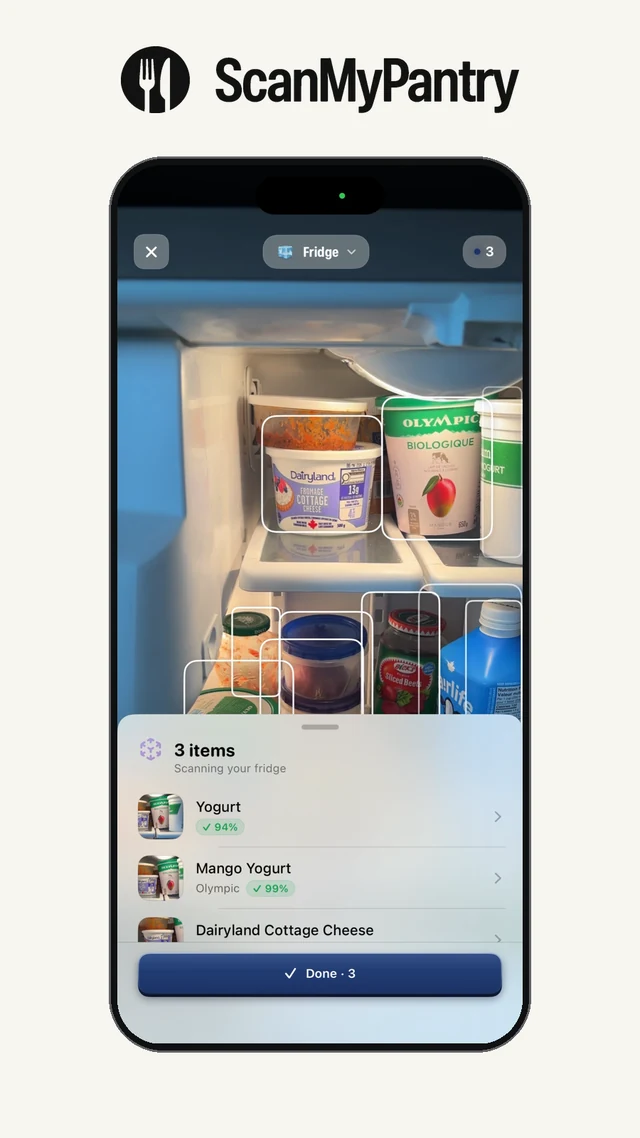
Quick answer: ScanMyPantry shows grocery outlines as you move the camera and lets you review suggestions before saving. Forky AI processes fridge photos, suggests recipes with estimated macros, and can log portions after cooking.
This page is published by the developer of ScanMyPantry. It compares features stated in each product's public App Store listing or official product page; it is not a hands-on test of every feature. Store availability and plans can vary by region and change over time.
Feature comparison
| Feature | ScanMyPantry | Forky AI |
|---|---|---|
| Scanner input | Sweep the live iPhone camera across visible groceries and check the AR outlines and suggestions. | Take one or more fridge photos, then review the suggested ingredients and quantities. |
| Cooking | Find recipes from saved groceries and compare estimated nutrition per serving. | Use the ingredients identified in the photos to find recipes with estimated calories and macros. |
| After cooking | Update the kitchen inventory to reflect ingredients you used. | Confirm a portion and record it in the app’s macro log. |
When ScanMyPantry may fit
Choose ScanMyPantry to see camera suggestions as you scan and build a fridge, pantry, or freezer inventory.
Move overlapping groceries into view when you want to check what the live scan can see.
When Forky AI may fit
Consider Forky AI if you prefer to take a fridge photo and want recipes and meal logging in the same workflow.
Forky AI describes an editable portion log for recipes made from photographed ingredients.
Try the same groceries in both apps
Start with loose produce, a packaged staple, and a container you labeled yourself. Watch ScanMyPantry’s live AR scanner to see which visible items get outlines. Then use the three-grocery checklist to compare how each app adds food, corrects a suggestion, and retrieves the saved entry.
Download the scanner review worksheet (CSV) to record what the camera or lookup found and what you had to correct.
Sources and review method
Feature descriptions were checked against the linked public sources on November 18, 2026. Check each current listing for availability, device requirements, and price in your region.
Read the kitchen inventory guide, review the app-selection checklist, or see ScanMyPantry's privacy policy.
